Offer
Provide additional details about the offer you're running.
FLASHSALE


Time to read 15 min
Table of contents
A CGM is inserted with a single-use, spring-loaded applicator that places a thin, flexible filament approximately 5 mm beneath the skin on the back of the upper arm. There’s no surgical incision. Most people feel only a brief pinch.
The FreeStyle Libre 14-day sensor is worn for up to 14 days. MyDiagnostics provides professional CGM monitoring using the FreeStyle Libre Pro system, which is different from the personal FreeStyle Libre 14-day system.
MyDiagnostics provides professional CGM monitoring using the Abbott FreeStyle Libre Pro system. A qualified practitioner applies the sensor, which records glucose data for professional review. You do not scan the Libre Pro sensor yourself or receive readings through the personal FreeStyle LibreLink app during the monitoring period.
Applying the personal FreeStyle Libre 14-day sensor involves preparing the skin, loading the disposable applicator, inserting the sensor and allowing the initial warm-up period.
A CGM measures glucose in the interstitial fluid beneath the skin rather than directly in the blood. The FreeStyle Libre 14-day sensor is part of continuous glucose monitoring cgm, a wearable technology typically self-applied at home after training.
MyDiagnostics uses a different process: a qualified practitioner applies the professional FreeStyle Libre Pro sensor as part of the monitoring service.
The system requires a compatible reader or smartphone app to access readings, and users should understand that interstitial glucose can lag behind blood glucose when levels change rapidly. This lag is approximately 5–10 minutes, although it can vary with the rate of glucose change.
The personal FreeStyle Libre 14-day system allows users to scan their sensors, whereas the professional FreeStyle Libre Pro system is designed for clinician-led monitoring. Patients wearing the professional sensor do not independently scan it using the personal LibreLink app.
CGM insertion takes less than a minute once the skin and applicator are prepared. For most systems, this process is usually done at home with a disposable applicator to insert the sensor, though at MyDiagnostics, a qualified practitioner can apply the sensor at home or in a clinic, depending on the service available in your location.
The MyDiagnostics professional service uses the FreeStyle Libre Pro system, while the following self-application instructions relate to the personal FreeStyle Libre 14-day system.
The procedure involves placing a small sensor filament beneath the skin and securing the wearable unit with its adhesive. CGM manufacturers' instructions should always take priority over general application advice.
Follow these steps for the personal FreeStyle Libre 14-day system:
Choose the application site: Select an appropriate area on the back of the upper arm, following the manufacturer's placement instructions.
Clean the skin: Clean the sensor site with rubbing alcohol or an alcohol wipe, then allow the area to dry completely before applying the sensor. Avoid moisturizing or scented soap on the site beforehand.
Prepare the applicator: Align the sensor pack with the applicator as directed in the manufacturer's instructions, then press the applicator into the pack to load the sensor.
Position the applicator: Place it over the prepared site and push down firmly in one motion to secure the sensor, following the instructions supplied with the device.
Remove the applicator: Lift it away gently; the sensor should remain attached to the skin.
Check the adhesive: Make sure the adhesive sits flat against the skin without lifted edges.
Activate the sensor: Scan it with a compatible reader or smartphone app, as applicable to your device.
Wait for the first reading: The personal FreeStyle Libre 14-day system requires a 60-minute warm-up period before the first glucose reading is available.
The sensor's filament is approximately 5 mm long and sits just beneath the skin. Prefer a professional to apply your sensor? MyDiagnostics offers practitioner-assisted FreeStyle Libre Pro application, professional monitoring and sensor removal as part of its CGM service.
The approved application site for the personal FreeStyle Libre 14-day sensor is the back of the upper arm. However, approved placement sites differ between CGM brands and models.
For the personal FreeStyle Libre 14-day system, choose a site that is free from scars, moles, stretch marks, lumps, skin irritation and areas where clothing or everyday movement may repeatedly knock the sensor.
Avoid placing the sensor too close to an insulin injection site. Follow the specific distance and placement instructions supplied with your device.
Other CGM systems may have different approved locations. For example, the Dexcom G7 placement instructions specify the back of the upper arm for most users, with an additional upper-buttock placement option for children aged 2–6 years.
For better sensor adhesion and skin comfort:
Choose clean, dry and intact skin.
Avoid areas with irritation, scarring or insufficient soft tissue.
Select a location that is unlikely to be knocked or compressed during sleep.
Rotate application sites according to the manufacturer's instructions.
Avoid repeatedly applying sensors to the same area.
Most people experience only a brief pinch when the personal FreeStyle Libre sensor is applied, although individual experiences vary.
A small introducer needle places the thin sensor filament beneath the skin and retracts into the applicator. The needle does not remain attached to the arm.
Mild bleeding, tenderness or a small bruise can occur after insertion. Persistent bleeding, significant pain or worsening skin irritation should be assessed by a healthcare professional.
For people who feel anxious about needles, CGM may reduce the burden of repeated finger-prick measurements during routine glucose tracking.
However, a blood glucose meter should remain available when a confirmatory measurement is needed, particularly when symptoms do not match the sensor reading.
The American Diabetes Association's 2026 Standards of Care, Section 7: Diabetes Technology, recommends that people using CGM also have access to blood glucose monitoring when clinically indicated.
The personal FreeStyle Libre sensor attaches to the back of the upper arm using a medical adhesive pad, while a thin filament remains beneath the skin to measure interstitial glucose.
The disposable applicator inserts the filament and positions the sensor. Once the applicator is removed, the adhesive pad holds the wearable unit against the skin.
For proper attachment:
Choose a clean-shaven application site when necessary.
Remove moisture, oil and lotion from the skin.
Allow the alcohol-cleaned area to dry completely.
Avoid touching the adhesive surface unnecessarily.
Check that the adhesive lies flat against the skin.
Sweat, friction and repeated contact with clothing can affect adhesion. Follow Abbott's instructions for maintaining the sensor throughout its intended wear period.
The personal FreeStyle Libre 14-day sensor is designed to remain in place for up to 14 days and must then be removed and replaced. It is a single-use device, so a sensor that has been removed or has fallen off cannot be reapplied.
After initial application, the sensor requires a 60-minute warm-up before the first glucose reading becomes available. Warm-up times vary across CGM systems and may range from about 30 minutes to 2 hours depending on the device.
Sensor feature |
What to know |
|---|---|
Application site |
Back of the upper arm |
Wear duration |
Up to 14 days |
Initial warm-up |
60 minutes |
Reuse after removal |
Not permitted |
Reading method |
Compatible reader or smartphone app, depending on the system |
Data storage |
Rolling eight-hour log for the personal FreeStyle Libre 14-day system |
The professional FreeStyle Libre Pro system follows a clinician-led monitoring process. Its data is downloaded by the healthcare professional rather than independently scanned by the patient.
The personal FreeStyle Libre 14-day sensor can generally remain attached during showering, swimming and exercise, provided the manufacturer's water-exposure limits are followed.
Moisture, friction and repeated contact with clothing can affect adhesive strength. Check the sensor and surrounding skin for lifted edges, irritation or discomfort.
The FreeStyle Libre 14-day sensor is water resistant and designed to withstand water exposure up to 1 metre deep for a maximum of 30 minutes at a time. After showering, gently pat the area dry instead of rubbing the adhesive, which could loosen its edges. Avoid prolonged immersion or water exposure beyond the manufacturer's specified limits.
Walking, yoga, running and gym workouts can generally be continued while wearing the sensor, provided the site remains secure and comfortable.
Heavy sweating, friction and contact sports may loosen the adhesive, so follow the manufacturer's recommendations for skin preparation and any approved adhesive support. Take care when changing clothes or carrying backpacks, and avoid knocking the sensor against doorframes, seatbelts or gym equipment.
You can sleep while wearing a CGM, but lying directly on the sensor may sometimes cause falsely low readings, known as compression lows.
Sleeping on the opposite side may help reduce pressure on the sensor, although any unexpected low reading should be interpreted in the context of symptoms and the device instructions. For the personal FreeStyle Libre 14-day system, scan at least once every eight hours so the sensor's stored data can be retrieved before older readings are overwritten.
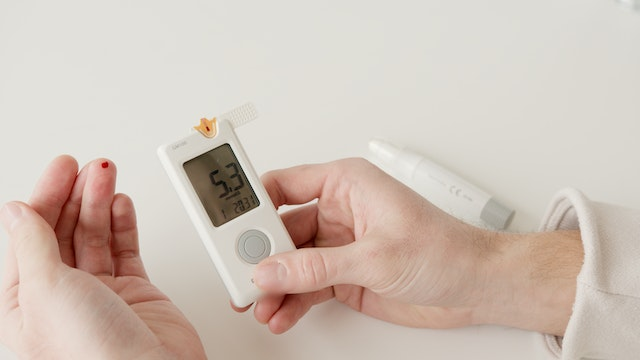
A FreeStyle Libre sensor that falls off cannot be reattached and reused; a new sensor is required to continue monitoring. Before applying another sensor, make sure the skin is clean, completely dry and free from lotion or other substances that could interfere with adhesion.
If adhesive-related skin irritation develops, consult a healthcare professional before applying another sensor. Do not apply additional adhesive barriers, dressings or topical products unless their compatibility with the specific CGM system has been established.
Tegaderm HP should not be placed under or around a sensor unless the manufacturer or a healthcare professional confirms that its use is suitable for that particular device.
If the sensor falls off prematurely or repeatedly, contact your healthcare provider or Abbott support to discuss the problem and applicable replacement options.
The personal FreeStyle Libre 14-day system can be used with a compatible FreeStyle LibreLink smartphone app or reader. For supported phones, the app uses near-field communication (NFC) to scan the sensor and display the available glucose reading, trend information and history.
App availability and compatibility depend on the device model, operating system and applicable regional version, so check Abbott's official compatibility information before use.
This scanning process applies to the personal FreeStyle Libre 14-day system, not the professional FreeStyle Libre Pro sensor used for clinician-led monitoring.
A compatible smartphone running FreeStyle LibreLink can scan the personal FreeStyle Libre 14-day sensor, while the dedicated reader offers an alternative for users who do not have a compatible phone. The reader and app should be used according to the instructions for the particular sensor system, as compatibility and available functions vary by model.
In India, users should check Abbott's regional app availability and smartphone compatibility information before purchasing a personal FreeStyle Libre sensor or installing LibreLink. An NFC-enabled smartphone is necessary for supported scanning functions, but NFC alone does not guarantee compatibility with every phone or sensor model.
Check the compatible phone list, operating system requirements and regional app availability through Abbott's apps and data-sharing information.
Personal FreeStyle Libre products should be purchased through authorised or verified sellers. People seeking professional glucose monitoring can enquire with a healthcare provider or MyDiagnostics about the availability of the professional FreeStyle Libre Pro service.
LibreView is Abbott's software platform for uploading and sharing compatible FreeStyle Libre glucose data with healthcare professionals. The reports can help your healthcare team review glucose patterns and discuss appropriate adjustments to a person's diabetes management plan.
With the MyDiagnostics professional CGM service, the report is provided within 24 hours of sensor removal.
For clinical context, the American Diabetes Association's 2026 Standards of Care recognise CGM metrics as useful for assessing glycaemic status and supporting diabetes management.
CGM readings and finger-prick glucometer readings may differ because they measure glucose in different body compartments.
CGM readings and finger-prick glucometer readings do not always match exactly because they measure glucose in different body compartments, which can affect accuracy. The FreeStyle Libre 14-day system is factory-calibrated, so routine finger-stick calibration is not required.
But a blood glucose meter remains important when readings appear inconsistent with symptoms or when the manufacturer recommends confirmation. Glucose changes rapidly after meals, exercise or insulin, so interstitial glucose may temporarily lag behind blood glucose.
The following table summarises key factors that can affect how CGM readings compare with finger-prick results.
Factor |
What it means |
|---|---|
Rapid glucose changes |
Interstitial glucose may lag behind blood glucose during rapid rises or falls. |
Symptoms that do not match |
Check blood glucose using a suitable meter and follow the device's safety instructions. |
Vitamin C |
High doses can interfere with readings in certain FreeStyle Libre systems; the effect depends on the exact model and dose. |
Salicylates |
These substances may slightly lower readings in certain FreeStyle Libre systems. |
Sensor error or missing data |
Follow the device instructions and use a blood glucose meter when needed. |
Medication and supplement caution: Abbott identifies ascorbic acid (vitamin C) and salicylic acid as potential interferents for the original FreeStyle Libre 14-day system. The amount and effect depend on the device and exposure; do not assume the same thresholds apply to every Libre model.
Certain medications can also affect CGM sensors and reduce accuracy, so consult the relevant manufacturer's interference guidance for the exact system being used.
The personal FreeStyle Libre 14-day sensor can generally be removed by gently peeling the adhesive away from the skin; no surgical procedure is required.
To remove the sensor:
Lift one edge of the adhesive pad gently.
Slowly peel the sensor away from the skin in one motion.
Wash the area gently.
Remove any remaining adhesive residue without rubbing the skin harshly.
Mild redness may occur temporarily. Persistent irritation, swelling, pain or bleeding should be assessed by a healthcare professional.
Before an MRI, X-ray or CT examination, check the manufacturer's instructions for your exact sensor model and inform the imaging team that you are wearing a glucose sensor. Follow the device-specific instructions about removal and replacement. With the MyDiagnostics professional CGM service, sensor removal is included as part of the service.
CGM provides a more detailed picture of glucose patterns than occasional finger-prick measurements because it records changes throughout the day and night.
These patterns can offer useful context about meals, physical activity, sleep and diabetes treatment, and using a CGM can help improve A1C levels while reducing the need for repeated finger-prick measurements for routine tracking.
The American Diabetes Association recognises CGM data as useful for evaluating glycaemic status, but results should be interpreted alongside symptoms, medical history and professional advice.
Ready to understand your glucose patterns? Book a CGM with MyDiagnostics for professional sensor application and a report after the monitoring period. Review the service inclusions, device type and availability in your location before booking your 14-day CGM sensor.
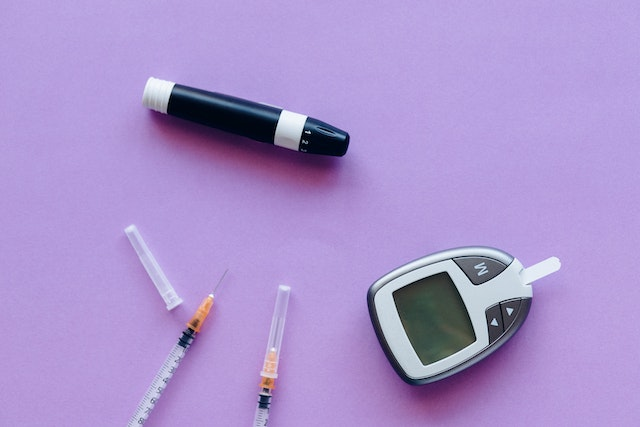
Yes. A small introducer needle places the sensor filament beneath the skin and retracts into the applicator during insertion. Only a thin, flexible filament remains under the skin to measure glucose in interstitial fluid. The sensor's adhesive holds the wearable unit in place, and the needle does not remain attached to your arm.
Most people feel a brief pinch during insertion, while some feel very little discomfort. The sensation usually lasts only a moment, and the sensor is generally not noticeable once securely attached. Mild tenderness, a small bruise or limited bleeding can occur. Seek medical advice if pain or bleeding persists or the skin becomes increasingly irritated.
The personal FreeStyle Libre 14-day sensor is applied to the back of the upper arm, following Abbott's placement instructions. Choose an area with healthy, intact skin and avoid scars, moles, stretch marks, lumps or frequently knocked areas. Preparing the site correctly and allowing it to dry completely helps the adhesive stay secure throughout the wear period.
The personal FreeStyle Libre 14-day sensor is designed for wear for up to 14 days. After that period, it stops collecting glucose data and must be removed and replaced if monitoring is continuing. The sensor is single-use, so it cannot be reapplied after removal or if it falls off. Always follow the instructions for your specific model.
Yes. The personal FreeStyle Libre 14-day sensor can be worn while showering, bathing or swimming, provided it is not submerged deeper than 1 metre or kept underwater for longer than 30 minutes at a time. Pat the area dry afterwards rather than rubbing the adhesive. Avoid prolonged immersion and follow the manufacturer's water-exposure instructions.
For the personal FreeStyle Libre 14-day system, scan the sensor at least once every eight hours to retrieve the available stored glucose data. The sensor maintains a rolling eight-hour log, so longer gaps can result in missing historical readings. Follow the scanning instructions for your particular system, as professional or real-time CGM devices may operate differently.
No. A FreeStyle Libre sensor that falls off cannot be stuck back on and reused. Contact your provider or the manufacturer to discuss replacement options, particularly if the sensor comes off before the end of its intended wear period. For future applications, prepare clean, dry skin, avoid lotions at the site and ensure the adhesive is properly secured.
The personal FreeStyle Libre 14-day system is factory-calibrated and does not require routine finger-prick calibration. However, you should keep a suitable blood glucose meter available and confirm readings when symptoms do not match the sensor result or the manufacturer recommends a check. Rapid glucose changes can contribute to differences between interstitial glucose and blood glucose measurements.
You can sleep while wearing a CGM, but putting direct pressure on the sensor may cause falsely low readings, sometimes called compression lows. Sleeping on the opposite side may help reduce pressure on the sensor. If a low reading seems inconsistent with how you feel, follow the manufacturer's instructions and confirm your glucose with a blood glucose meter when appropriate.
To remove the personal FreeStyle Libre 14-day sensor, gently lift one edge of the adhesive and slowly peel it away from the skin in one motion. Wash the area afterwards and remove any adhesive residue gently. Mild redness may occur temporarily, but persistent pain, swelling, irritation or bleeding warrants medical advice. Follow the device-specific instructions for removal before medical imaging. This information is general and not a substitute for advice from a healthcare provider or other qualified health professional about your health.
* Medical Disclaimer - The following information is for educational purposes only. No information provided on this website, including text, graphic, and images, are intended as substitutes for professional medical advice. Please consult with your doctor about specific medical advice pertaining to your condition(s).


